What Is the IAA Additional Bidder Form and When Do You Need It?
The IAA additional bidder form is used to authorize another person to bid under an existing buying account; if that person is not already approved on that account, it is typically needed. Below, you’ll see which buying setups need the form, which do not, and the details IAA asks for.
How the form controls auction bidding access
The additional bidder form adds a named person to an existing IAA buying account as an authorized bidder. It changes who can bid on that account, not who owns the business, receives invoices, or handles payment contact records. That distinction matters when several people work from the same dealership, fleet, or yard account.
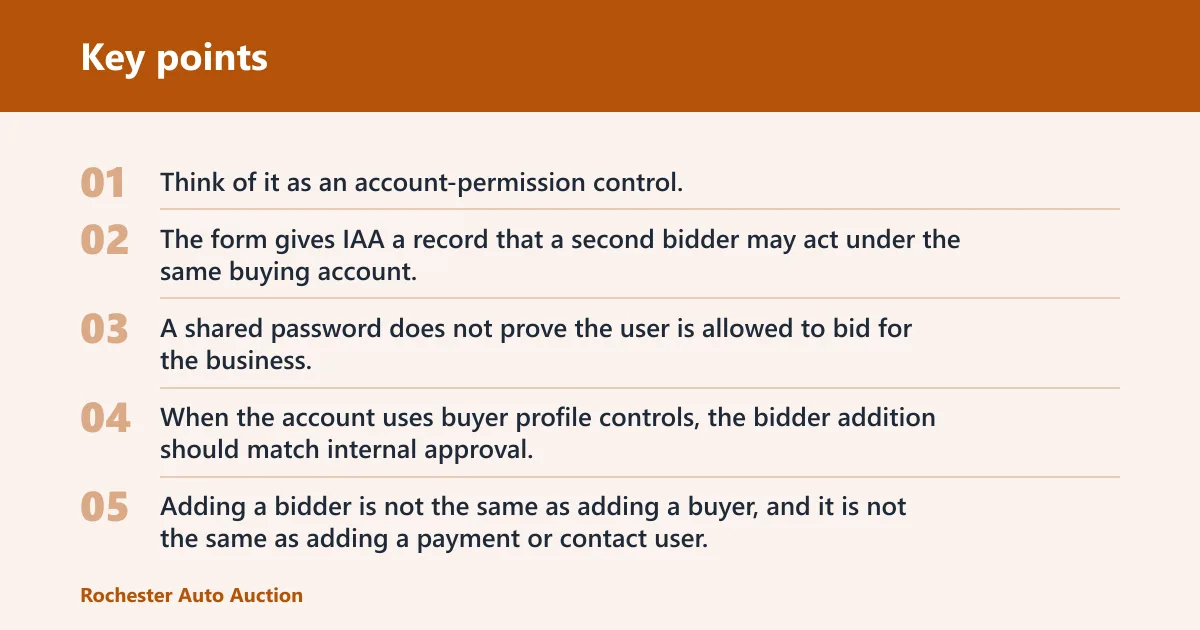
Think of it as an account-permission control. If one employee can search listings, another can place bids, and a third handles payment or contact details, those roles should not be treated as the same access level.
What the form changes on an account
The form gives IAA a record that a second bidder may act under the same buying account. That matters because AuctionNow activity is tied to authorization as well as login access. A shared password does not prove the user is allowed to bid for the business.
When the account uses buyer profile controls, the bidder addition should match internal approval. If the dealership wants only certain people to bid, the form should name only those users, not every employee with a login.
How it differs from buyer and contact access
Adding a bidder is not the same as adding a buyer, and it is not the same as adding a payment or contact user. A buyer account controls who can place bids. A contact record handles notices. Payment details handle billing or remittance information. Mixing those up can leave the wrong person authorized, or the right person blocked.
Why the form matters for shared business logins
Shared logins create risk when more than one person needs to bid from one business account. If the login belongs to the company but only one person is approved, the other person may reach the site and still be unable to bid. The form keeps access aligned with the account record.
Say a dealership has one login for the sales desk and a separate bidder in inventory. If inventory staff places bids under that shared login without being added as an authorized bidder, the account may look active on screen but still fail at bid submission.
How IAA AuctionNow bidding access works
IAA AuctionNow is the digital bidding and buying platform used for online auction activity. Access still depends on account permissions, not just device access.
Desktop and mobile access
AuctionNow works on desktop and mobile devices, so the same account can generally be used from a browser on a computer or from a phone or tablet. That flexibility helps when a buyer is away from the office, but it does not replace account authorization. If the bidder is not approved, the device type will not fix it.
Pre-bids and live bidding
Pre-bids can be placed before live bidding begins on AuctionNow. When the auction goes live, the system continues from those bids and accepts live activity as it happens. That gives buyers time to enter a max bid before the sale starts, then respond if someone else bids higher.
Auction volume and time extension tools
AuctionNow access still depends on account permissions, not just device access.
When do I need an additional bidder form for IAA?
The form is needed when a business account needs more than one person authorized to bid. If the second person should only view listings or handle billing contact details, the form is not the right tool. If that person must place bids under the business account, the form is the right control.
Dealership owners and managers
Use the form when your business wants a second authorized bidder on the same account. That is common when one person handles purchasing and another steps in during meetings, travel, or late auction hours.
A common first-timer mistake is letting a manager share a login with a desk employee and assuming the shared login is enough. If IAA requires named bidder authorization for that account, the login alone is not enough.
Sales staff and proxy bidders
If a salesperson, buyer’s assistant, or proxy bidder needs to place bids for the business, that person should be added through the form before bidding. A proxy bidder is acting on behalf of the business, so the permission has to be explicit. Without that record, the auction account may not treat the bid as authorized.
That matters in fast auctions. A bid can fail at the worst moment if the person using the account is not listed as an approved bidder.
Shared accounts inside one business
Shared accounts need the form when two or more people will bid under the same business account. The issue is not how many people can see the account. The issue is who is allowed to place bids. A company can have several users tied to one business, but each bidder should be approved the way IAA requires for that account type.
Do not use the form to add every contact in the office. Use it only for the person who needs bidding authority.
Do you need an IAA additional bidder form?
Use the checklist below to decide whether the form is required. It focuses on bidding authority, not general login access. If the answer is yes in a branch, the form should be completed before the person bids under the business account.
Do you need an IAA additional bidder form?

Another person will place bids for the same business account?
- Yes: The person needs bidding authority added for that account.
- No: The current bidder list already covers the account.

The person only needs to view listings or receive notices?
- Yes: The form is not the right tool for that access.
- No: The person will be entering bids.

The person is acting for the business under the account?
- Yes: The person should be added through the account process before bidding.
- No: The person does not need bidder authorization.

More than one person will bid from one business login or account?
- Yes: The account needs the right bidder authorization for each person.
- No: Only one approved bidder uses that account.
If the answer is yes for any of those branches, confirm the account-level approval before the next auction. If the answer is no, do not use the form just to create another contact or add payment information.
How to complete the form correctly
Complete the form with the account name, buyer ID, the additional bidder’s identity, and the approval the business uses internally. Missing signatures or mismatched account details are the most common reasons a bidder gets blocked later. Keep the form tied to the dealership, fleet, or yard workflow that actually controls purchasing.
- Confirm the account record. Match the legal or trade account name and the buyer ID exactly as IAA has them on file. A mismatch can send the request to the wrong account or leave the bidder unlinked.
- Enter the additional bidder’s details. Include the bidder’s name and the contact fields the form asks for. Use the person who will place bids, not the office contact who only receives notices.
- Check internal approval. Have the person who is authorized by your business sign if that is required by the form. The signer should be the person with authority to add bidding access.
- Review before submission. Verify that the bidder, account, and signature all match. If one field is blank, IAA may not treat the bidder as approved.
Before you submit, confirm whether the form is for bidding access only or whether your business also needs a separate account update for contact or payment details. Do not assume one form changes every role on the account.
Iaa additional bidder form checklist
- Account name: Use the exact business name on the IAA account.
- Buyer ID: Enter the correct account identifier tied to the bidder profile.
- Additional bidder name: List the person who will actually bid.
- Contact details: Fill in the requested phone and email fields if the form asks for them.
- Internal signer: Use the person your business requires to authorize bidder access.
- Date and signature: Complete every required signature field before sending it in.
How bidding status works on IAA
IAA uses reserve pricing on some listings, and the status shown on a lot changes depending on whether the bid reaches that threshold. If the reserve is met, the vehicle can sell automatically under the auction rules. If it is not met, the lot may stay unsold or move into If Bid status.
Reserve price and automatic sale rules
A reserve price is the seller’s minimum accepted sale threshold. When bidding reaches that number, the vehicle can sell under the auction process. If the highest bid stays below reserve, the seller can still decide what happens next.
What If Bid means?
If Bid appears when the highest bid does not meet reserve. The high bidder sees it as an orange overlay. At that point, the seller can accept the bid or send the car to the next auction. That makes If Bid a seller decision point, not a completed sale by itself.
Picture a lot where the high bid stops below reserve and the screen shows If Bid in orange. The bidder is still in play, but the sale is not final until the seller acts.
How you know whether you won
You know you won when AuctionNow shows the lot as sold to your account or otherwise confirms the winning result in the bidding flow. An outbid notice means someone surpassed your bid; it does not mean you lost permanently until the auction outcome is final. Check the final status for that lot before assuming the result.
Frequently asked questions
What is the IAA additional bidder form?
It is the account-level authorization IAA uses to let another person bid under an existing buying account. The form matters when the bidder is not already approved for that account. It is not the same as adding a contact, a payment user, or a general office login.
Can more than one person bid on the same IAA account?
Yes, if the account setup allows more than one authorized bidder and the additional person has been approved through the correct account process. The key issue is permission, not just login sharing. A shared password alone is not the same thing as being listed as an approved bidder.
Does IAA let me bid from my desktop or mobile?
Yes. AuctionNow supports bidding on desktop and mobile devices. You can review listings, place pre-bids, and join live bidding from either device type. Device access does not replace account authorization, so the bidder still needs the proper account permissions.
What happens if I am outbid on IAA?
If another bidder enters a higher bid, the system shows that you have been outbid. You can respond by entering another bid if the auction is still active and your account is authorized to continue. The final result depends on the closing status of the lot, not on the first outbid notice alone.
How do I know if I won a vehicle on IAA?
You know you won when the auction result shows the vehicle sold to your account. Keep an eye on the final lot status after bidding ends, because a reserve not met can keep the vehicle from selling immediately. If the result is unclear, check the final auction status for that lot.
Can I watch an IAA auction before bidding?
Yes. You can watch an auction without placing bids, which is useful if you want to follow timing, lot flow, and live activity before participating. Watching does not require the same action as bidding, but account access may still be required to see some buyer-facing details.
What information do I need to register to bid online?
At minimum, expect to provide the account name, buyer information, and the details IAA uses to verify bidding authority. For an additional bidder, that usually means the business account record plus the specific bidder’s identity and required signature fields. Exact fields vary by account type, so confirm the current form requirements before submission.