How to Get a Free Vehicle History Report Without Scams
Use free VIN tools from the vehicle’s owner, the auction platform, the NHTSA VIN Lookup Tool, and insurer-backed checkers. Skip any site that hides the VIN until after sign-up or copies another report. A bad “free” link can waste time, expose your data, or push you toward a paid report that repeats public info. This guide shows how to verify a VIN safely, spot fake previews, and know when a free report is enough.
What a free check can show
A free VIN check is a safe first step because the 17-character VIN ties the lookup to one specific vehicle. A free VIN decode commonly confirms year, make, model, trim, and engine; it does not equal a full vehicle history report. If the VIN is missing, a license plate lookup can help, but coverage varies by state and database.
A full vehicle history report is broader. A full vehicle history report may include title status, title brands, odometer readings, accident and damage history, theft records, recalls, service records, and liens where available. NMVTIS is part of the title-and-branding data chain, but free consumer access to a complete NMVTIS history report is not the norm.
VIN decode versus full report
Start with the VIN whenever you can enter it before purchase or bidding. It is the safest lookup key because it is vehicle-specific and less vague than a model-name search. CARFAX Canada says a VIN can also be entered after purchase, which matters if you are validating a car after the deal or checking a newly delivered unit.
Free decode tools are best for a first pass. They tell you what the vehicle is, not whether it has a salvage title, an odometer issue, or a lien history. If the preview stops at identity data, that is normal.
When a license plate lookup is the fallback
Use a license plate lookup only when the VIN is unavailable, unreadable, or blocked by the seller. Enter the plate plus state, then confirm whether the database actually supports that jurisdiction. A plate search can point you in the right direction, but it is not a substitute for a VIN-based history check.
-
Find the VIN first. Check the dashboard at the base of the windshield, the driver-door label, the title, or the auction listing. If the seller only offers a plate, note the state too, because coverage depends on both fields.
-
Run the free decode. Confirm year, make, model, trim, and engine before you pay for anything. If those details do not match the listing, stop and verify the source.
-
Decide whether you need more. If you are buying privately, bidding at auction, or seeing warning signs, move to a full report. If you only need to confirm basic identity, the free result may be enough.
How to spot a fake report
Fake report pages usually try to create urgency or hide the source. Look for a site that withholds the VIN until after registration, copies another report’s layout, or shows a “free” preview that turns into a payment wall before the data appears. A legitimate preview should make the source, scope, and limits clear before you hand over contact details.
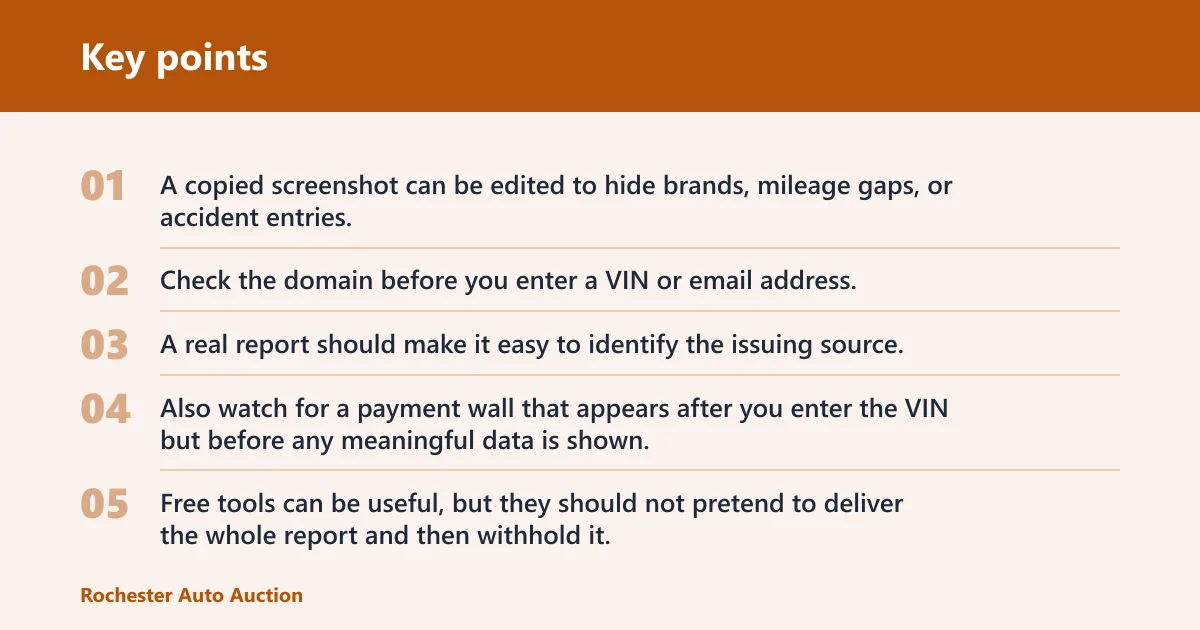
PDF and image scams are common too. A copied screenshot can be edited to hide brands, mileage gaps, or accident entries. If the file has odd fonts, blurred edges around text, mismatched report dates, or a VIN that changes between pages, do not trust it.
Link and domain red flags
Check the domain before you enter a VIN or email address. If the page pretends to be a government source but is not on a government domain, or if the brand name in the URL does not match the report header, pause. A real report should make it easy to identify the issuing source.
Also watch for a payment wall that appears after you enter the VIN but before any meaningful data is shown. That is a teaser, not a free history report. Free tools can be useful, but they should not pretend to deliver the whole report and then withhold it.
Screenshot and PDF tampering signs
A tampered screenshot often has cropped edges, repeated blocks of text, or mismatched compression around the logo and data fields. In a PDF, compare every page for the same VIN, same report date, and same source name. If one page shows a different VIN or a different date, the file may be pieced together from separate reports.
Say your seller sends a “clean” report image in a text thread, but the odometer section is cut off. Ask for the full PDF or re-run the lookup yourself with the VIN. A cropped image can hide a branded title, a mileage gap, or a lien note.
When a preview hides the paywall
A free preview is a partial sample, not the full report. If the page only shows a few identity fields and then asks for payment to reveal the rest, treat it as a teaser. That can still be useful, but you should not let the word “free” make you assume the accident, title, or lien sections are actually visible.
Free report trust checklist
This checklist helps you judge whether a free report, preview, or seller-sent file is worth trusting. If several boxes fail at once, stop and verify the VIN with a second source before you buy or bid.
| Verification check | What to look for | Go / no-go decision |
|---|---|---|
| Source domain | The site name matches the report header or clearly names the source tool. | Go if the source is clear; no-go if the page hides who issued the report. |
| VIN match | The same 17-character VIN appears on the page, in the file, and on the vehicle. | Go only if all VINs match exactly. |
| Report date | A visible report date or timestamp shows when the data snapshot was created. | Go if the date is visible and recent enough for the purchase decision. |
| Title brand presence | The report states whether a title brand is present or absent. | Go if the title section is present; no-go if it is missing but the seller claims it is complete. |
| Odometer chronology | Multiple mileage points appear in order without sudden drops or long gaps. | Go if the sequence makes sense; no-go if mileage drops or jumps without explanation. |
| Accident-source naming | Any accident entry names the reporting source or clearly says where the event data came from. | Go if the source is named; no-go if the accident note is vague or unsupported. |
| Lien disclosure | The report states whether lien information is present, absent, or unavailable. | Go if the status is clear; no-go if a seller insists there are no liens but the report is silent. |
| Recall VIN match | The recall lookup is tied to the same VIN, not just the model year. | Go if the VIN-specific recall result matches; no-go if the recall check uses only a model name. |
| Payment wall transparency | The page says what is free and what is paid before you enter personal data. | Go if the paywall is clear; no-go if the site hides the cost until the last click. |
| Screenshot tampering signs | There are no cropped edges, mismatched fonts, or edited-looking blocks. | Go only if the file looks intact; no-go if any page looks assembled or altered. |
| Plate-to-VIN consistency | If a plate lookup was used, the plate, state, and VIN point to the same car. | Go if the plate and VIN line up; no-go if the vehicle identity shifts between records. |
| Final decision | Enough checks pass to support the purchase, bid, or deposit. | Go only if the report is current, consistent, and sourceable. |
When should you pay for the full report?
A full report can be useful before bidding at auction, before placing a deposit, or before signing papers on a used vehicle with incomplete history. A free result is enough only when you are confirming basic identity or screening a very low-risk vehicle with no warning signs. If the report is old, pay for a fresh one.
The same source lists a standard report at $61.95 for one vehicle, 2-report pricing at $92.95 total, and 4 reports for $176.95 total. Those figures show why shoppers sometimes compare multiple vehicles before paying. If you are checking more than one candidate, buying the right bundle can be cheaper than paying one-by-one.
Before bidding at auction
Auction buyers should treat a full report as part of the bid calculation, not an afterthought. A free decode may confirm the trim and engine, but it will not reliably show title brands, odometer history, or hidden damage. If the vehicle is already in a bidding cycle, a stale preview can cost more than the report.
Picture a 2019 SUV with a clean-looking exterior and a free decode that only confirms the model and engine. If the report does not show recent title status or mileage points, you still do not know whether the car has a branded title or a rollback gap. That is the point where paying for the full report makes sense.
Before you place a deposit or sign papers
Pay when the seller wants a deposit, a commitment, or same-day paperwork. That is the moment when title status, lien status, and odometer chronology matter most. If a seller’s report is older than the last listing change or the car has changed hands since then, the old file should not be treated as current.
When the free result is too old to trust
A report becomes less reliable when the vehicle has changed hands, been driven, repaired, or re-titled since the snapshot was created. The older the report, the more likely it is to miss a new lien, a fresh mileage reading, or a recently completed recall. If the date is stale and the purchase is still open, run a fresh lookup.
What a full report may include
A full vehicle history report can pull several record types into one file, but the depth depends on the source network and what was reported. Do not assume every section is complete just because the report looks official. Missing data is common, especially for accident, lien, and service records.
Title brands and title status
Title status can reveal brands and prior states that affect registration and financing. Salvage, rebuilt, flood, or other branded titles can create problems even when the vehicle appears clean in photos. A full report is valuable here because the brand may change how a lender or insurer views the car.
Odometer chronology and rollback clues
Odometer reading history helps you spot rollbacks or gaps by comparing multiple record points. A sudden drop from one reading to a lower one is a warning sign, but a clean sequence does not guarantee the mileage is perfect. The data only helps when there are enough record points to compare.
Accident, theft, lien, and recall records
Accident and damage history may include crashes, severity notes, or airbag deployment indicators, but it can be incomplete if the event was never reported. Theft records and recovery status may also appear, yet those entries depend on the reporting source. Lien status can show recorded liens and lenders where available, which helps prevent payoff surprises. Recalls should be checked separately with a VIN-specific recall lookup, because recall data is safety-related and not the same as accident or title history.
FAXVIN says its free decode confirms year, make, model, trim, and engine. It also says its full report can include accident and damage history, title brands, lien status, and odometer readings that flag rollbacks or gaps. The same source says its database covers U.S. states and Washington, D.C., with broad vehicle coverage.
Can a free lookup be enough?
A free lookup can be enough for low-risk screening, especially when you only need to confirm that the VIN matches the listing and the basic vehicle details line up. It is not enough when the car is expensive, the seller is pressuring you, the report is stale, or the vehicle has a history risk that could affect ownership. In those cases, pay for a full report before you commit.
Low-risk use cases
Use a free result when you are comparing several vehicles, checking a VIN before a casual inquiry, or verifying that a listing matches the claimed year and trim. If the free decode and the seller’s description agree, you can decide whether the car is worth a paid check.
High-risk use cases
Pay when the vehicle is being sold quickly, when the seller only offers screenshots, or when the car has mileage gaps, title questions, or any hint of prior damage. A common first-timer mistake is to stop after a clean-looking preview and skip the paid history report even though the sale terms have already gotten serious.
How to verify a seller-sent report
When a seller sends a report, treat it as a claim until you verify the source, the date, and the VIN. A legitimate report can still be old, incomplete, or irrelevant to the vehicle you are considering. Verify the file first, then decide whether it is current enough to trust.
-
Check the VIN on every page. Compare the 17-character VIN in the listing, the report header, and the vehicle itself. If one page uses a different VIN, stop.
-
Check the report date. Make sure the snapshot date is visible and recent enough for the sale. A report from before a title transfer or a major service event can be outdated.
-
Cross-check recalls separately. Use the NHTSA VIN Lookup Tool or another VIN-specific recall lookup to confirm safety recalls. Recalls are separate from accident and title history, so a clean report does not clear them.
What should you check if a seller sends you a history report? Confirm the source domain, confirm the VIN, and confirm the date. Then inspect the file for cropped edges, missing sections, or language that turns a preview into a hidden paywall. If any of those checks fail, run your own lookup instead of relying on the seller’s copy.
Frequently asked questions
Is there a free car history report?
Sometimes you can get a free preview, but that is only a partial sample, not a full vehicle history report. Free tools usually give you the decode or a partial preview, while the full report is where title brands, odometer chronology, theft records, liens, and accident detail may appear.
Where can I get a free VIN decode without paying?
Look for a VIN decode on the auction platform, the seller’s listing, or a reputable lookup tool that clearly states what is free. A free decode should confirm year, make, model, trim, and engine. If it asks for payment before showing those basics, it is not a true free decode.
Which free vehicle history report sites are scams?
Any site that hides the source, copies another report, or makes you enter personal data before showing even basic VIN details deserves caution. Fake report pages often use a payment wall, altered screenshots, or a mismatched VIN to look official. If the report cannot be tied to a clear source, do not trust it.
How do I tell if a vehicle history report is legitimate?
Check whether the source domain is clear, the VIN matches on every page, the report date is visible, and the file looks intact. Then compare the recall result with a VIN-specific recall lookup. A legitimate report can still be incomplete, but it should not be inconsistent or hidden behind vague claims.
When should I pay for a full vehicle history report?
Pay before bidding at auction, before placing a deposit, or before signing papers on a vehicle you have not fully verified. If the free result is old, if the seller’s copy looks edited, or if title, mileage, accident, lien, or recall questions remain open, the full report is worth it.