How to Bid on Copart Live Auctions Step by Step
To bid on Copart live auctions, register, enter the live sale, watch the current bid, and stop at your all-in ceiling, not the hammer price. Miss the fees or transport, and a “winning” bid can quickly cost more than you planned to spend. This walkthrough shows what to click, when to place a bid, when to stop, and how to avoid overbidding.
How do Copart live auctions work?

What Copart is selling
Copart is a remarketing platform that auctions vehicles from insurers, dealers, and fleet owners. Listings are sold as-is with minimal disclosure, so your decision depends on the listing, the photos, and your own checks. A vehicle can look cheap in the room and still be a poor buy once fees, transport, and title work are added.
How live bidding differs from prebid
Prebid is a standing offer set before the sale starts. Live bidding happens in the auction room as the lot closes. That difference matters because a max bid can keep moving for you, while live bidding demands a stop-or-go choice every time the price changes.
Why reserve and approval status matter
The highest bid does not always win. Some lots are reserve or on approval, which means the seller can reject a bid that does not meet the reserve or still needs approval. Treat every “current high bid” as provisional until the sale result is confirmed on the lot page or in your account.
What you’ll need
- A verified Copart account with the correct membership or access level
- ID and address documents that match your registration details
- Deposit funds, if your access level requires one
- The lot number, sale type, and location
- The listing photos and condition report
- A VIN report or other vehicle history check
- Your fee ceiling, transport plan, and payment method ready before the sale starts
How to prepare a lot before the room opens
Start with the lot number, sale type, and location, then review photos and the condition report before the live room opens. A useful Copart search workflow saves likely matches to a watchlist and filters out obvious risk. The point is to cut room-time decisions down to one question: bid or pass.
Read the listing the right way
On the lot page, check the lot number, sale type, location, and condition report first. Look for VIN photo availability and compare the odometer, engine status, and damage notes. The listing can be thin, so the details that are present matter more than the ones that are missing.
Run the VIN check
Use the VIN report to look for accident history, title brands, and odometer data. Cross-check those results against the listing photos and the condition report. Copart inventory can include salvage, rebuilt, flood, non-repairable, and branded/reconstructed titles, and those labels change both usable value and resale options.
Use a simple compare rule
Suppose the listing shows a 2019 sedan with 82,000 miles, a front-end hit, and a clear VIN photo, but the VIN report shows a flood brand and a prior odometer inconsistency. That is a stop signal unless your plan is specifically built around that risk. A cheap bid is not a good bid when the paperwork narrows your exit options.
Live bidding: step by step
Set your fee ceiling before bidding starts, then enter the live room and bid only within that ceiling. Live bidding moves fast, so the safest move is to decide your maximum total cost in advance and use the room only to execute that limit. If the total crosses your ceiling, stop.
1. Set your all-in ceiling
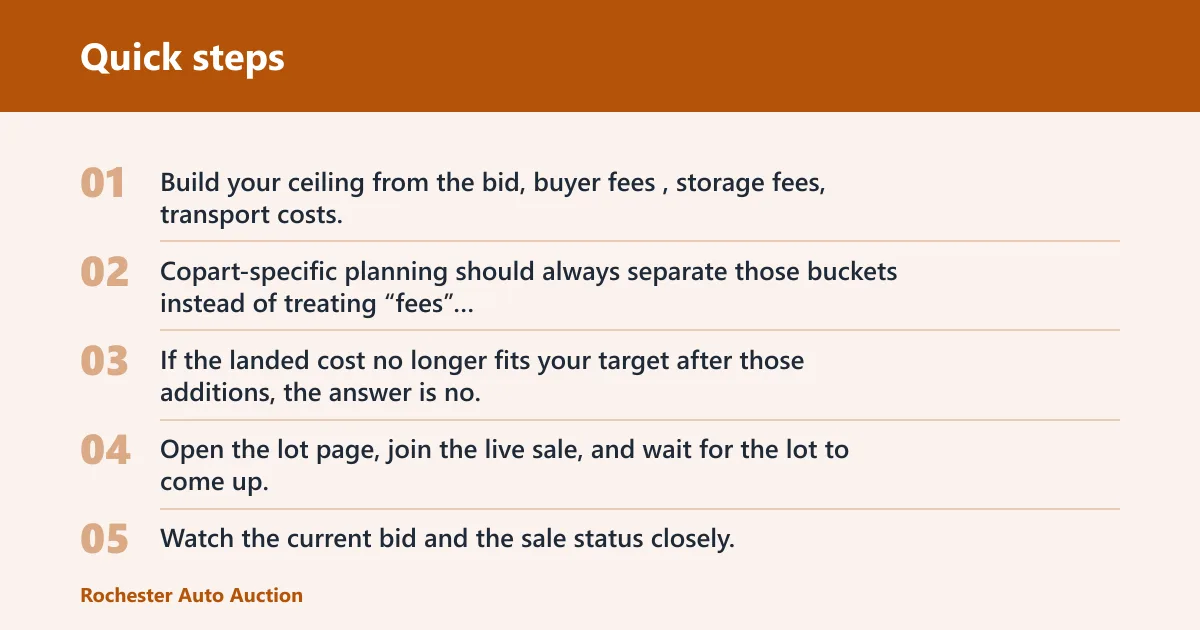
Build your ceiling from the bid, buyer fees, storage fees, transport costs, and title or paperwork costs. Copart-specific planning should always separate those buckets instead of treating “fees” as one line. If the landed cost no longer fits your target after those additions, the answer is no.
2. Enter the live room and track the lot
Open the lot page, join the live sale, and wait for the lot to come up. Watch the current bid and the sale status closely. If the lot is reserve or on approval, the room may show a leading bid that still needs seller acceptance.
3. Use prebid and max bid carefully
Prebid is useful for setting a limit before the room gets busy. If the platform supports a max bid or proxy-style limit, enter the number you would accept as your ceiling, not a number you hope the room will never reach.
4. Bid only in your planned increments
Use one clear increment and stick to it. For example, if your ceiling is $6,000 and the room is moving in $100 steps, keep bidding only while the total landed cost still fits your target. Once the next click pushes you past the ceiling, stop and let the lot go.
5. Confirm the result after the close
A “winning” bid is only meaningful after the sale result updates. For reserve or approval lots, a high bid can still lose if the seller does not accept it. Check the status on the lot page and in your account before you assume the vehicle is yours.
6. Stop when the math stops working
Do not keep bidding because you are already invested in the lot. The right stop rule is simple: when bid plus fees plus transport crosses your ceiling, leave the auction room. Say your transport quote adds about $650 and your title and paperwork estimate adds about $125; that is about $775 that should fit before bidding another dollar.
Copart buyer-fee tiers to budget
Copart’s buyer-fee structure changes by vehicle price band and buyer status, so confirm the current schedule before bidding. The table below is a practical planning guide for the fee tiers most buyers are trying to price against.
| Vehicle price band | Buyer-fee tier | Budget note |
|---|---|---|
| $0 to $99.99 | Lowest tier | Usually not the main cost; transport and paperwork can dominate |
| $100 to $499.99 | Low tier | Fees can exceed the bid on cheap lots |
| $500 to $999.99 | Middle-low tier | Plan for the fee jump before you raise your ceiling |
| $1,000 to $1,999.99 | Middle tier | Buyer fees start to matter as much as the hammer price |
| $2,000 to $4,999.99 | Higher tier | Good place to run a full landed-cost check twice |
| $5,000 and up | Top tier or capped schedule | Use the current fee schedule and do not assume prior tiers still apply |
Live bidding checklist
| Stage | Go / no-go rule | What to verify |
|---|---|---|
| Account ready | Go only if verification is complete | ID, address, membership or access level, deposit status |
| Lot verified | Go only if the listing matches your target | Lot number, sale type, location, condition report, VIN photo availability |
| VIN checked | Go only if the history fits your plan | Accident history, title brands, odometer data |
| Fee ceiling calculated | Go only if the full landed cost fits | Buyer fees, storage, transport, title and paperwork costs |
| Bid limit set | Go only if your max is fixed before the room opens | Prebid or max bid entered, stop point written down |
| Post-win plan confirmed | Go only if payment and pickup are already arranged | Payment method, transport quote, pickup timing, title transfer plan |
What happens after I win a Copart live auction?
After a win, the lot moves into the payment and release process, and the vehicle is not ready to drive away. Expect payment, paperwork, and pickup or transport planning to happen next, with storage costs becoming a problem if you delay. Check the account status and lot instructions before you assume the process is complete.
Payment and paperwork
Confirm the winning bid status in your account, then complete payment by the method required for that sale. Keep the lot number, sale information, and buyer details together so paperwork does not slow release. If the title is branded or restricted, make sure the paperwork path still fits your state and your access level.
Pickup, storage, and transport
Arrange pickup or transport as soon as the win is confirmed. Storage fees can add up if the vehicle sits too long, and transport is part of the landed cost from the start. Use the yard location and sale timing to plan loading, then verify who is allowed to collect the vehicle and what documents they need.
On copart live auctions checklist
- Log in and confirm the lot shows you as the winning buyer.
- Review the payment instructions for that sale.
- Pay the invoice within the required window.
- Book transport or arrange pickup.
- Check the title and paperwork status before release.
- Watch storage timing so fees do not climb.
Common mistakes to avoid
The most common mistake is bidding on the hammer price only. Another is ignoring title brands or account limits until after the lot closes. A third is assuming the car can be driven away the same day. Stop those errors before they happen by checking the full cost, the access rules, and the release process in advance.
Bidding past your real limit
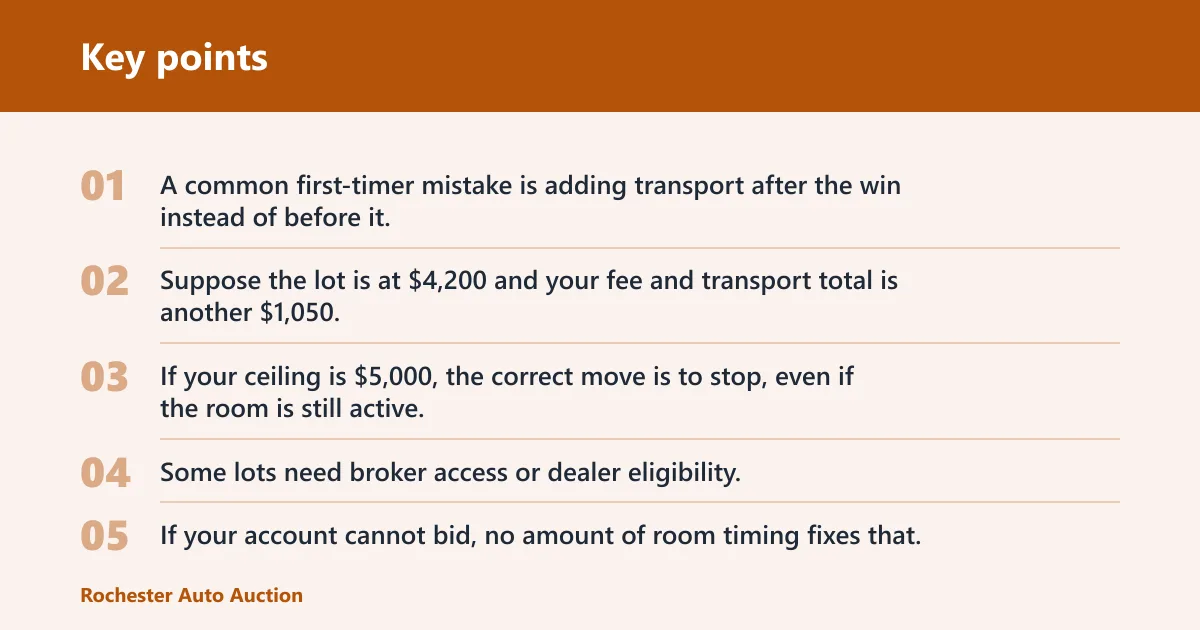
A common first-timer mistake is adding transport after the win instead of before it. Suppose the lot is at $4,200 and your fee and transport total is another $1,050. If your ceiling is $5,000, the correct move is to stop, even if the room is still active.
Ignoring restricted access
Some lots need broker access or dealer eligibility. If your account cannot bid, no amount of room timing fixes that. Check the sale terms and access rules on the lot page before you open the live room.
Missing title limits
Salvage, rebuilt, flood, non-repairable, and branded/reconstructed titles do not behave the same way. Some can be repaired and retitled under state rules, while others carry heavy restrictions. If the title brand does not match your end use, walk away.
Waiting too long after the win
Do not leave payment and transport until the next day unless the sale terms clearly allow it. Storage is a real cost bucket, not a theoretical one. The fix is to have your payment method and hauler lined up before you bid.
Frequently asked questions
Do I need a broker to bid live on Copart?
Only if the lot or your state access requires it. Dealer-only lots and restricted buyer classes cannot be bid on directly by every user. Check the lot page and your membership or access level before the auction starts.
What fees should I expect after winning a Copart bid?
Plan for buyer fees, storage fees, transport costs, and title or paperwork costs. Add them to the bid before you decide your maximum. If the combined total breaks your target, do not keep bidding.
How do I avoid bidding past my limit on Copart?
Write down a max number before the room opens, then use prebid or a max bid only up to that ceiling. Recheck the landed cost after every price jump. If the next bid puts the total above your number, stop immediately.
How can I tell whether a Copart lot is worth bidding on live?
Check the lot number, sale type, location, condition report, photos, and VIN history together. A lot is only worth live bidding if the title brand, mileage, damage notes, and total cost fit your plan. If any one of those fails, pass.